Find your perspective.
Eight views of the same scan. Move from a bird’s-eye map to a familiar folder list without losing your place.
 DiskTrail
Meet DiskTrail. See what’s filling your Mac, find what’s worth keeping, and make room with confidence.
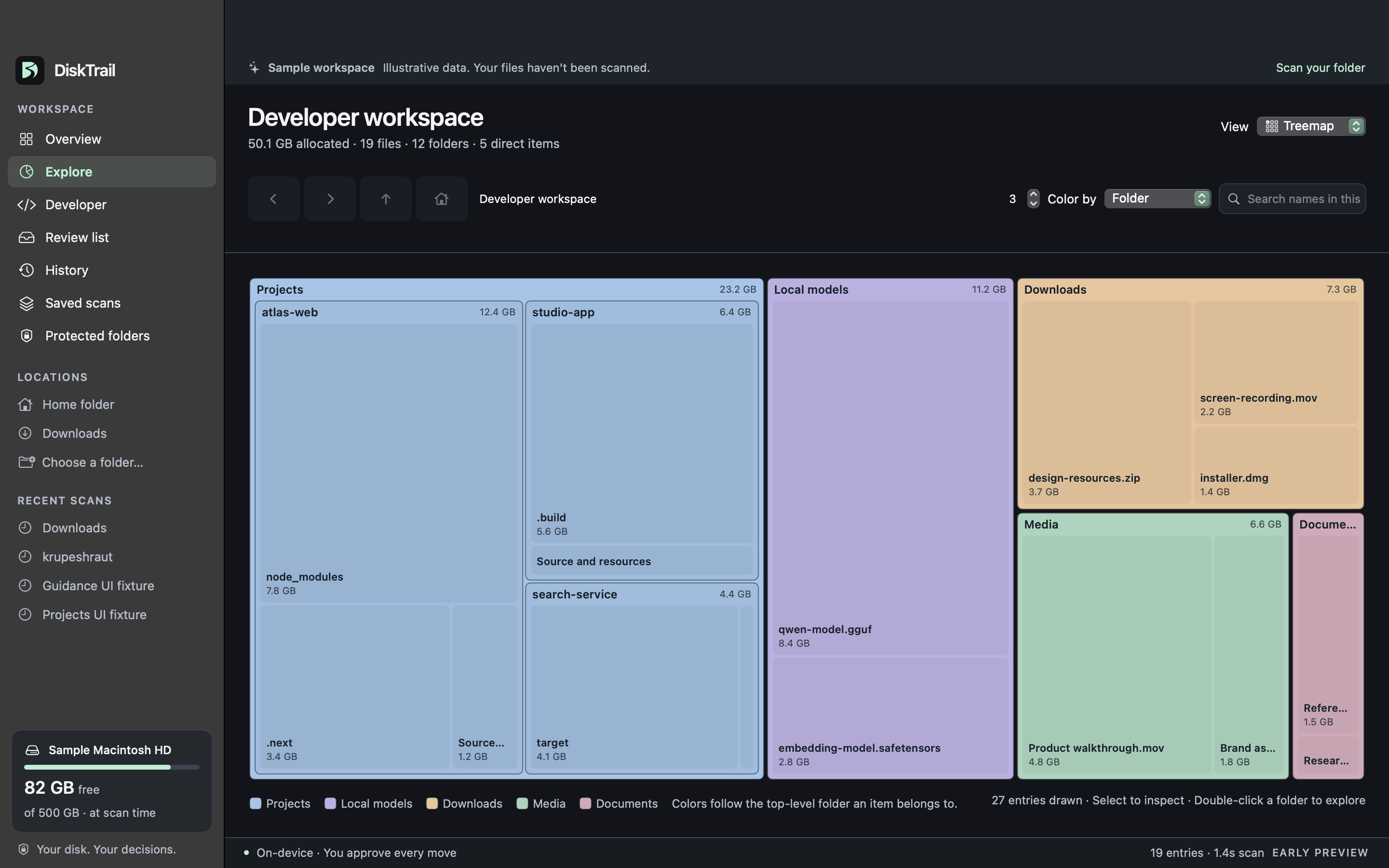
Spot the space takers at a glance. Treemap turns your folders into a map, with bigger blocks for bigger items.
Eight views of the same scan. Move from a bird’s-eye map to a familiar folder list without losing your place.
Save an inventory, scan again, and compare. See what grew, what appeared, and what’s no longer there.
A native Mac app with familiar navigation, local previews, and light and dark appearances. No account needed.
A big file isn’t automatically a bad file. DiskTrail gives you the context to decide what belongs, then asks you to review every move.
Check an item’s location, size, and cleanup guidance. Preview supported files or reveal them in Finder.
Choose exactly what to remove. Keep important folders protected, and review the consequences before confirming.
Approved items go to Trash with a history record. Restore while the recorded item remains in Trash and its original location is available.
Projects accumulate more than code. DiskTrail recognizes common developer artifacts and groups them by project, so the next decision has context.
node_modulesNode dependencies.nextNext.js output.buildSwiftPM artifactstargetCargo buildsDerivedDataXcode build dataKnow the tradeoff: removing build artifacts or dependencies can mean rebuilding or downloading them again. Your source files deserve a closer look.
Compare saved scans of the same location to find new items, removed items, and size changes. Turn a vague feeling into a useful starting point.
Saved scans record file information. They’re inventories, not backups of your files.
No. You choose items, review them, and explicitly confirm a move to Trash. DiskTrail does not automatically empty Trash. History can help restore a recorded item while it’s still there and its original location is free.
DiskTrail scans and processes your storage on your Mac. Your file contents aren’t uploaded for analysis, and the app does not require an account.
Treemap, Folders, Sunburst, Flame, Bubbles, Mind Map, Top Sizes, and Age Map. They share the same scan and folder context, so you can switch perspectives as you explore.
No. Age Map groups files by their last-modified date at scan time. An older date doesn’t tell you whether a file is unused or important. Review its contents and purpose before deciding.
DiskTrail targets macOS 14 or later. This page shows an early development preview; download availability and release details will be announced when a public build is ready.
A public download isn’t available yet. The screenshots on this page show the working app with an illustrative sample workspace. This page will link to the Mac release when it’s ready.
DiskTrail is taking shape. Explore the working app above
while we get the first public release ready.